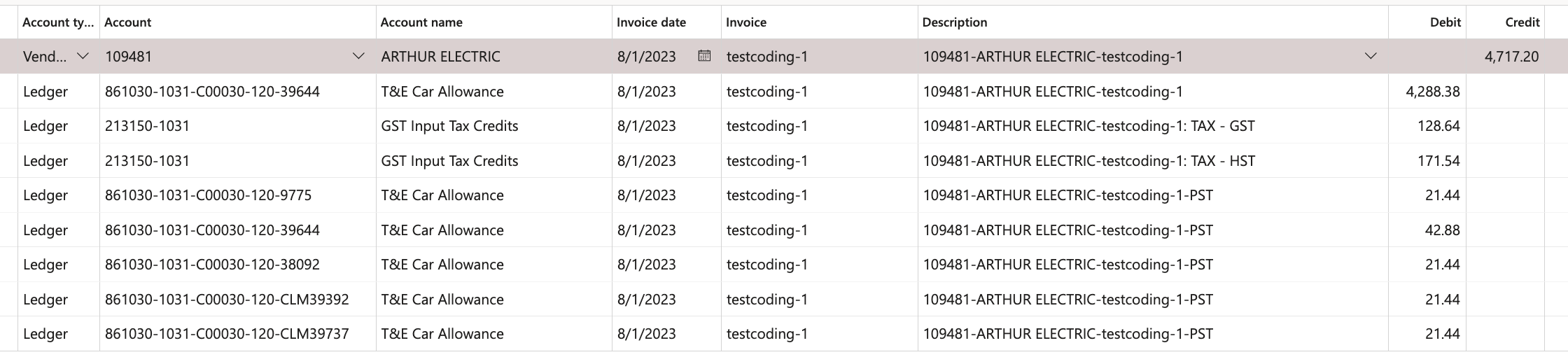
THIS FUNCTIONALITY SHOULD BE USED WHEN USERS WANT TO USE THE SAME GL MAIN ACCOUNT, BRANCH, AND BUSINESS UNIT WITH MULTIPLE UNITS/VALIDATION KEYS
Complete the following:
- The Purchase Order header section
- The Supplier section
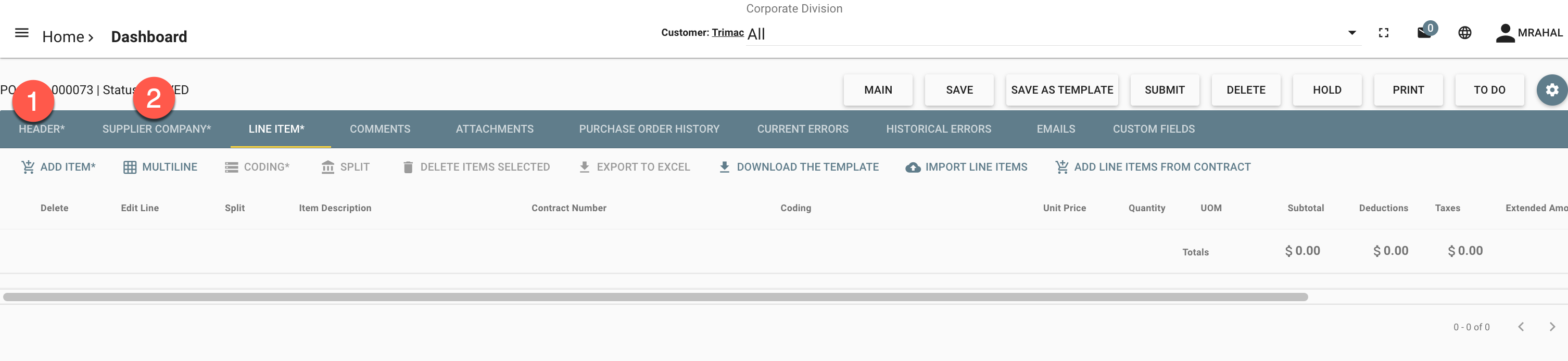
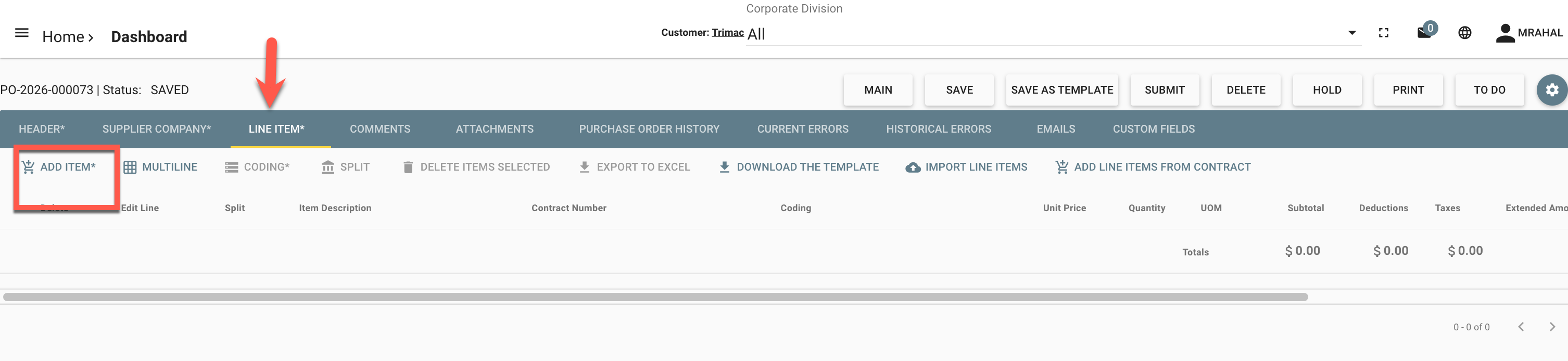
Navigate to the Line Item Tab and click "add item" to create the first line item
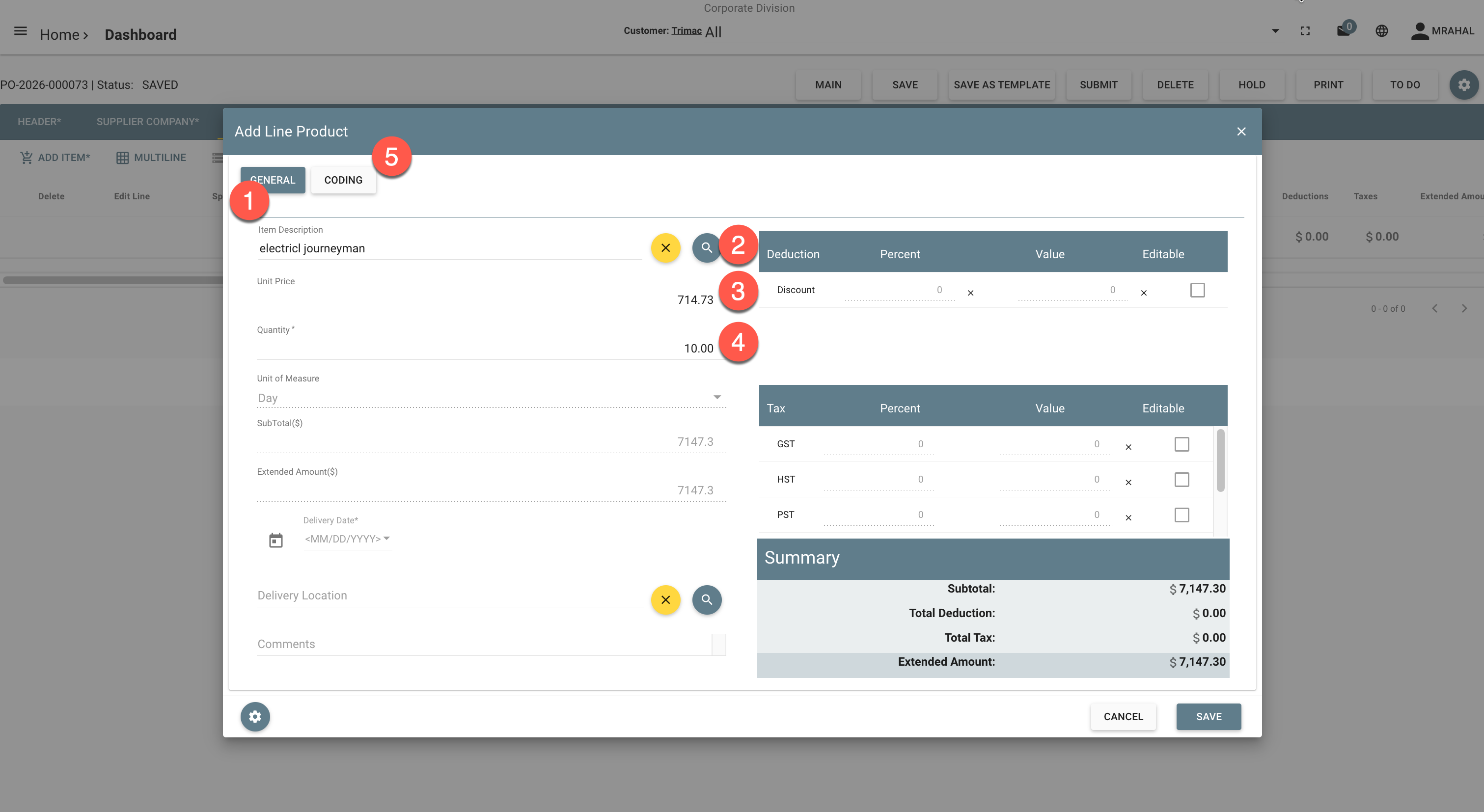
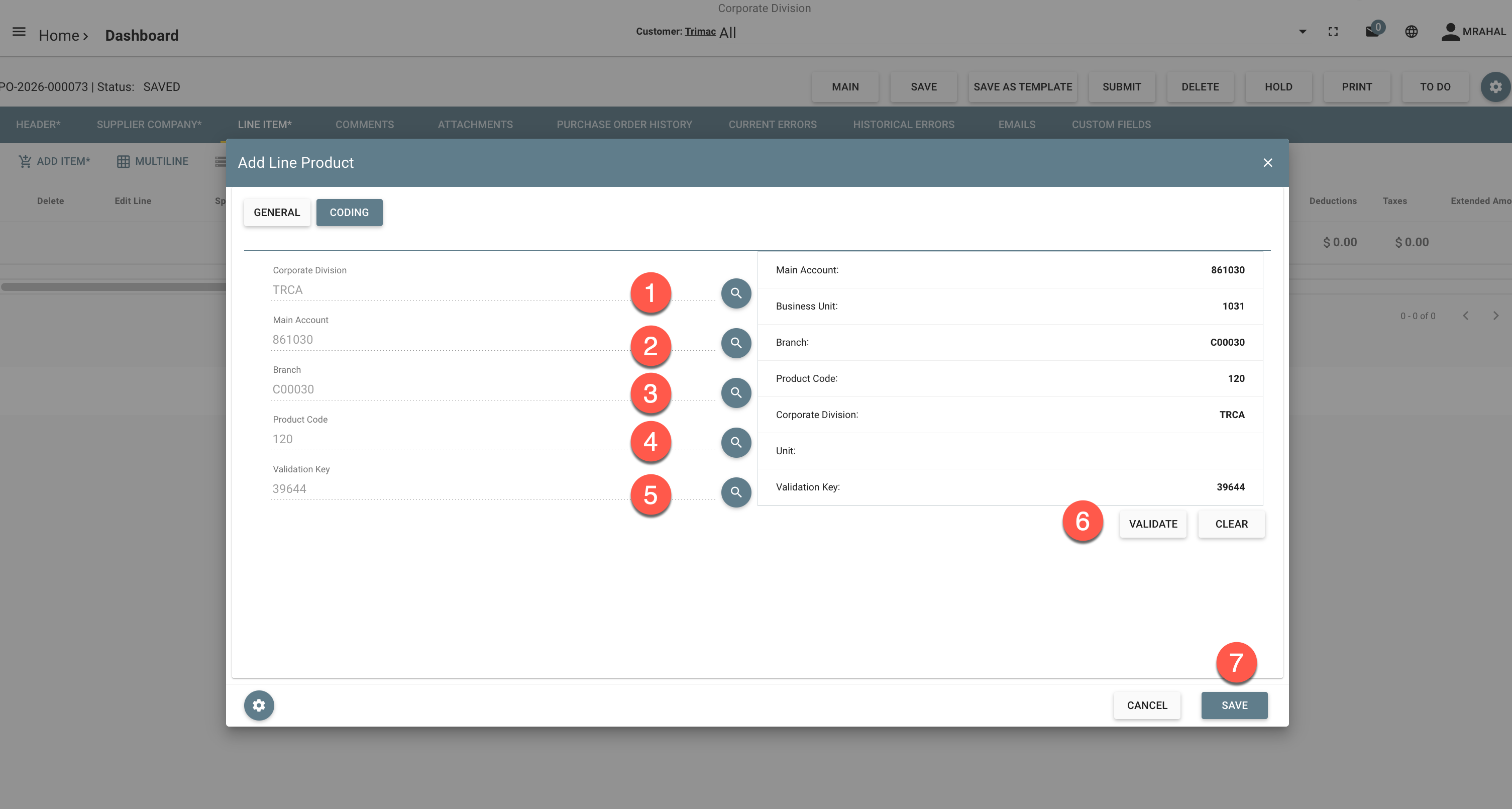
- The screen will display the "General tab"
- Select or enter a new item description
- Enter/modify unit price
- Enter Qty
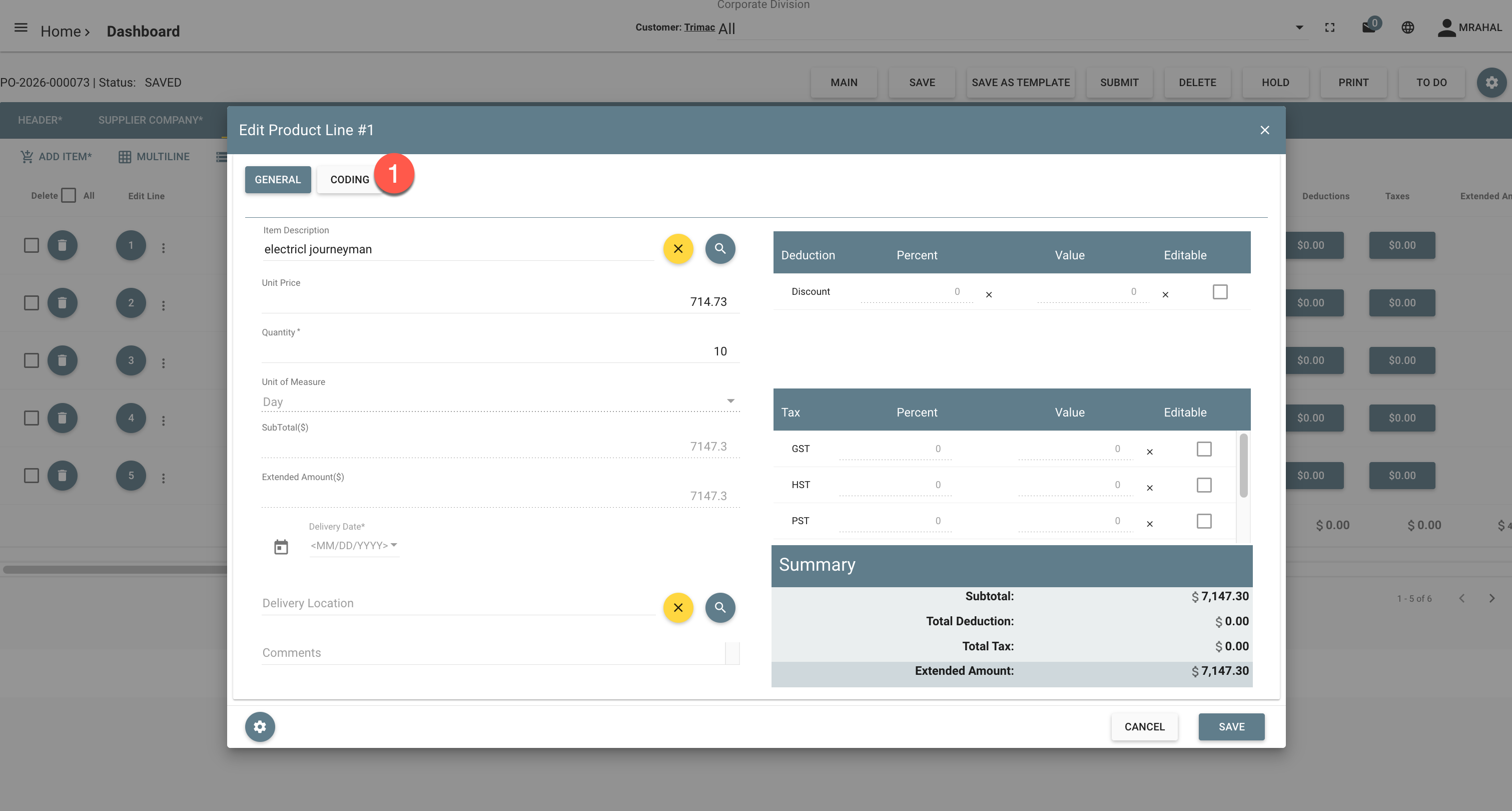
- Click the "Coding tab"
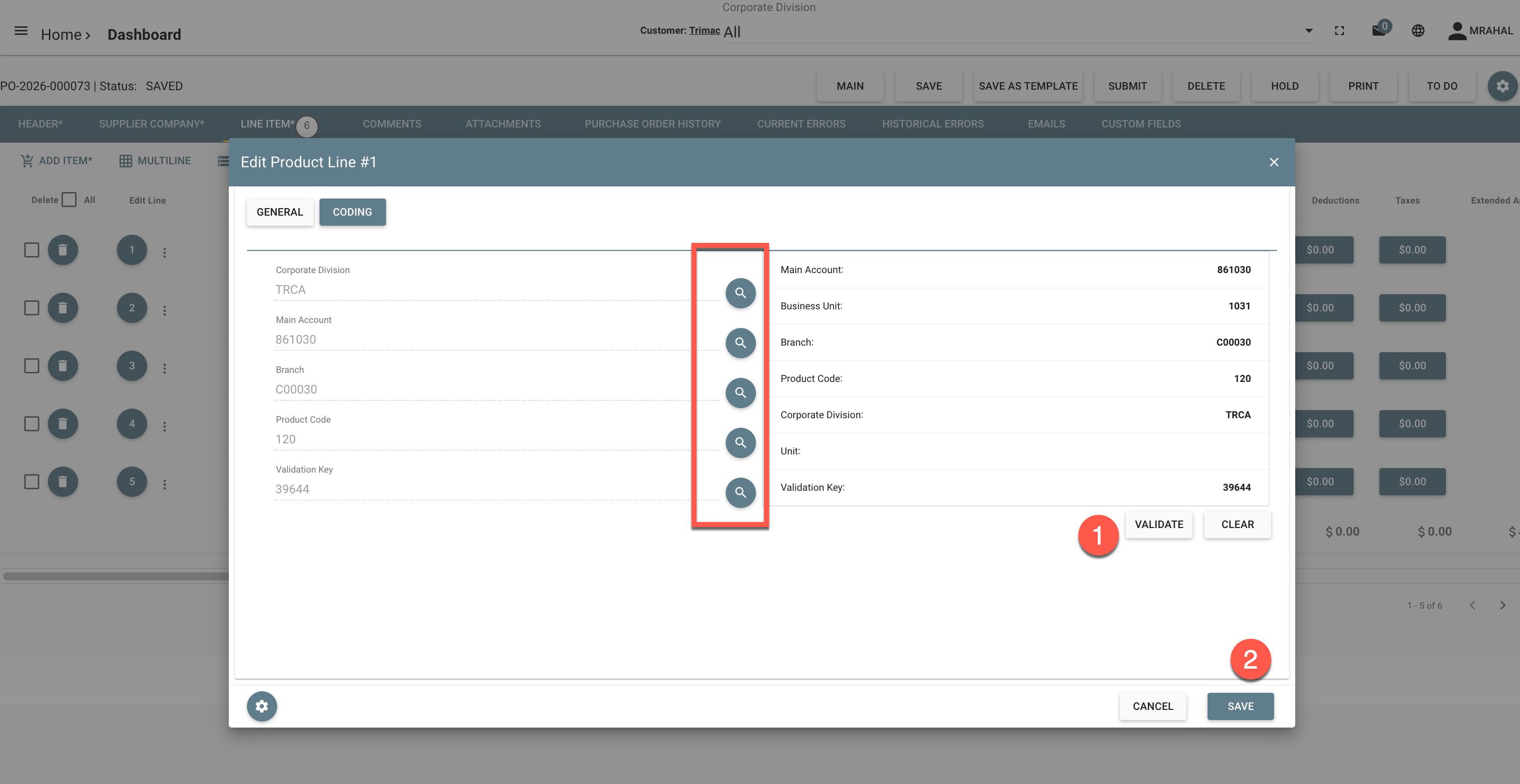
- Corporate Division: Defaulted to the Vendor legal entity. Users can change the Corporate Division
- Search for the Main account. THE MAIN ACCOUNT SELECTED WILL DETERMINE THE ADDITIONAL CODING FIELDS DISPLAYED BY THE SYSTEM
- Search for the Branch
- Search for the Product Code
- Search for the Validation Key
- Click Validate
- Click "Save"
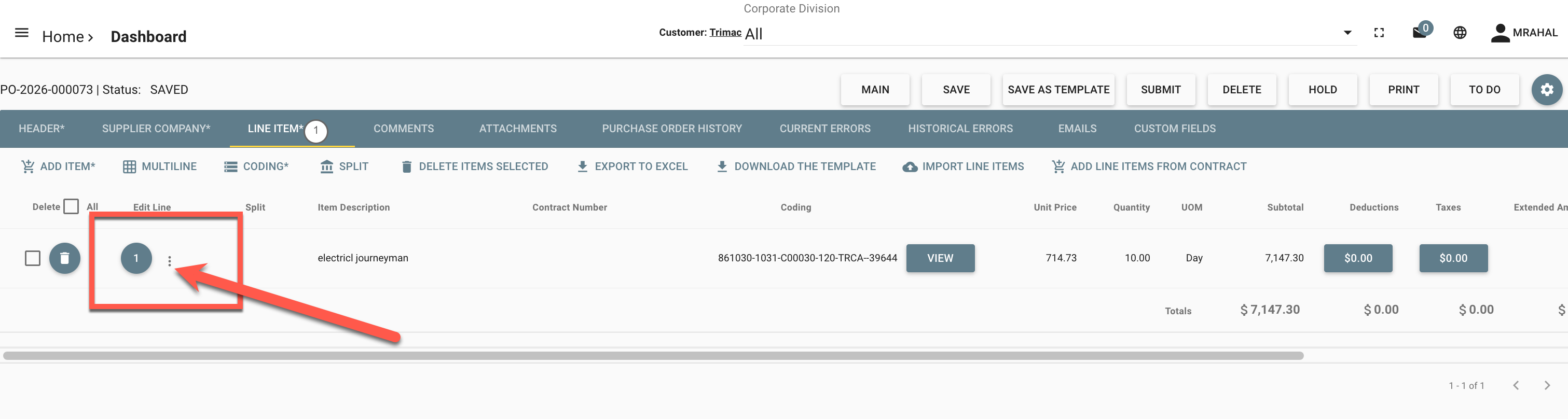
Once the first line item is created, click on the three (3) dots located to the right of the line item number
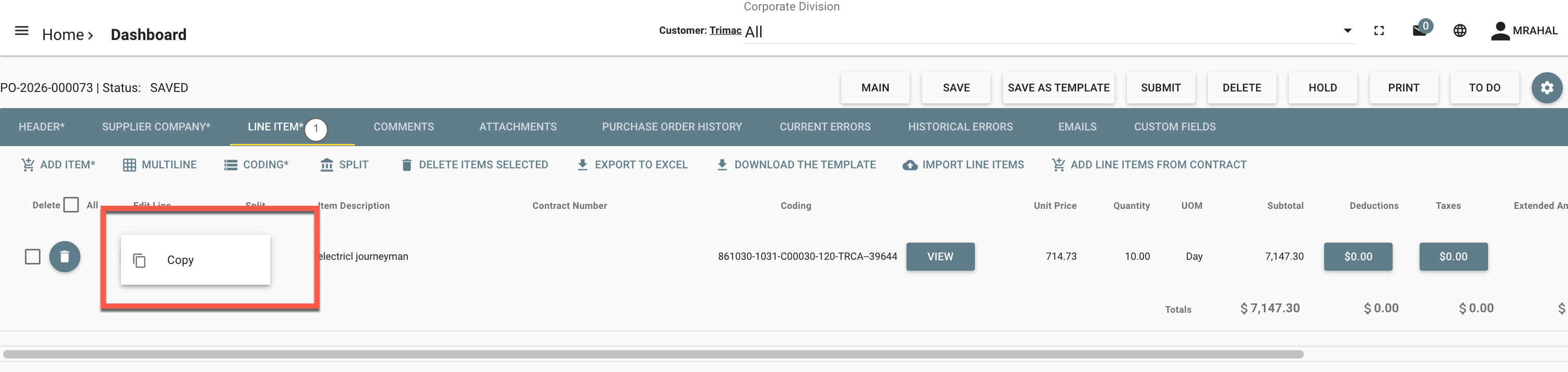
The "Copy" function will be displayed. Click "copy"
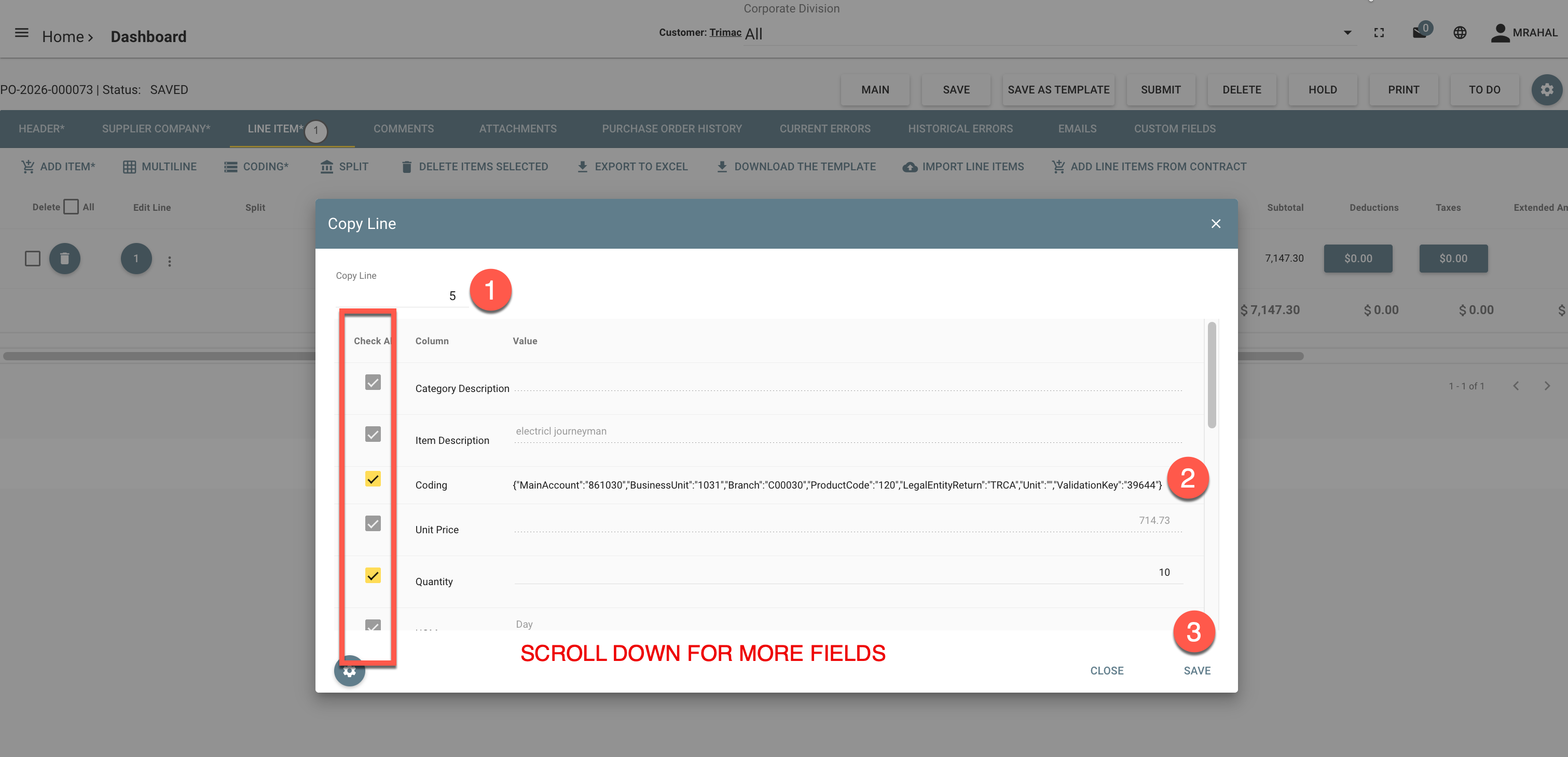
- Enter the total number of lines that you want to create (how many new lines will be created, including the first line). You can check or uncheck as many data fields as needed
- This is the coding that will be used for all the new lines created
- Click "Save"
The system will create the additional lines with the same coding as the original one
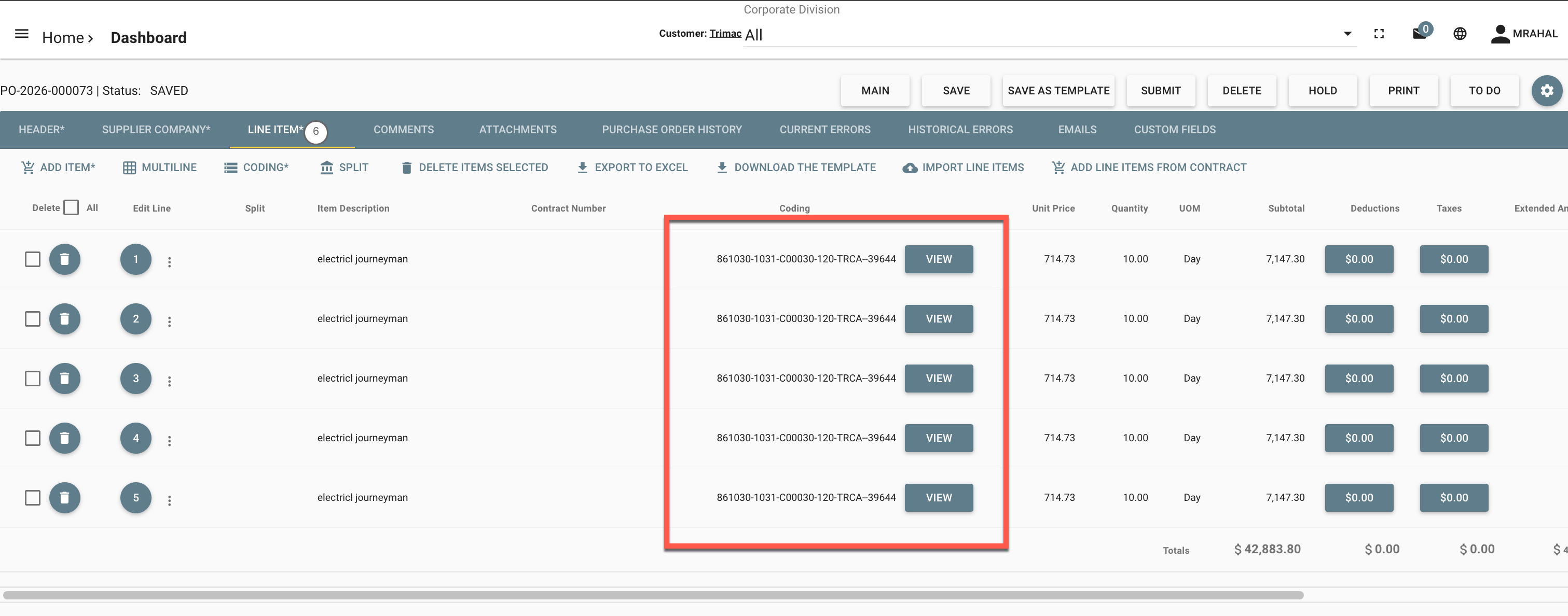
Once the lines are created, click on the line item number of the line that you want to modify
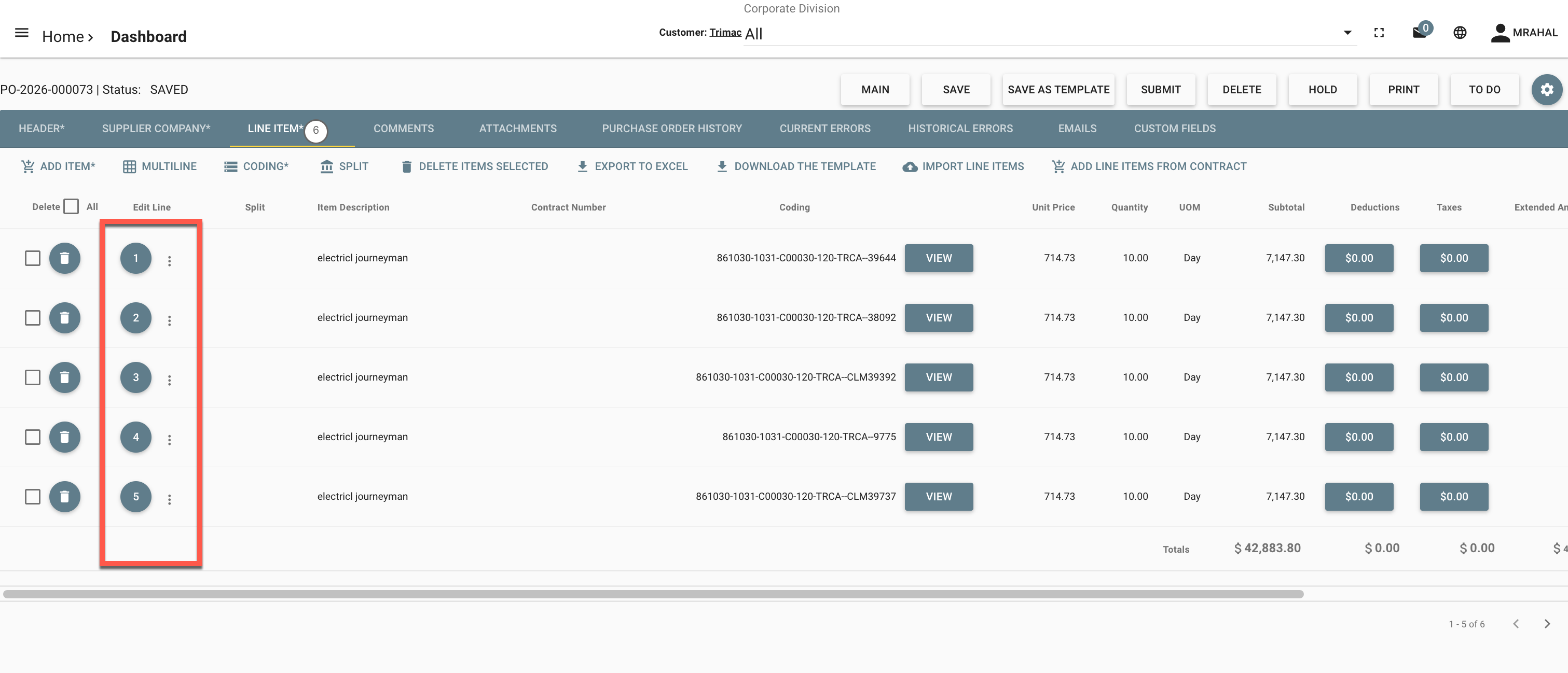
Click "Coding"
The coding screen will be displayed. Make the necessary coding changes.
- Click Validate
- Click Save
Sample invoice - Dynamics